Coming back from four weeks of personal leave is brutal. Hundreds of unread emails. Dozens of Slack channels buzzing with updates. Customer deals that moved forward — or sideways. Internal announcements you missed. A typical “catch-up Monday” can easily consume an entire day, or two.
This time, I tried something different. I used Kiro to do the heavy lifting, and the entire catch-up took about 10 minutes.
Here’s exactly what happened.
The Setup: Kiro + MCP Servers
Kiro is an AI-powered development tool that runs in your terminal. What makes it powerful for this use case is its MCP (Model Context Protocol) integrations — connectors that give the AI agent access to external tools like Slack, Outlook, Salesforce, and more.
My setup had 5 MCP servers running:
| Server | Status | Tools |
|---|---|---|
| aws-outlook-mcp | 🟢 running | 15 tools |
| slack-mcp | 🟢 running | 48 tools |
| pptx-mcp | 🟢 running | 42 tools |
| aws-sentral-mcp | 🟢 running | 76 tools |
| builder-mcp | disabled | 0 tools |
I also had steering documents loaded — markdown files that give Kiro persistent context about my role, customer accounts, channel mappings, and common workflows. Think of them as a memory layer that makes the AI understand your specific job context without re-explaining it every session.
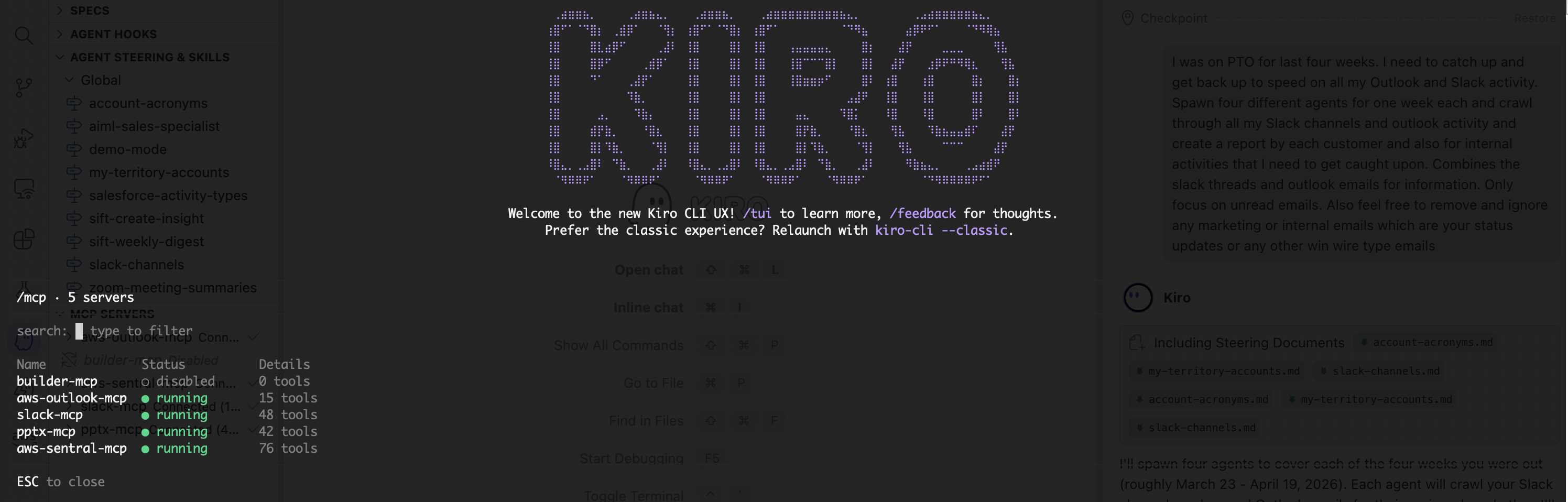
Kiro with all MCP servers connected (bottom-left), steering documents loaded (left panel), and the initial prompt. This is the foundation that lets Kiro act autonomously across your tools.
Step 1: One Prompt, Four Agents
My prompt was simple:
“I was on PTO for the last four weeks. I need to catch up on all my Outlook and Slack activity. Spawn four agents — one per week — and crawl through all my Slack channels and Outlook activity. Create a report by customer account and by internal activity. Only focus on unread emails. Ignore marketing emails, status updates, and win wires.”
Kiro immediately understood the scope. It:
- Resolved my account portfolio from the steering documents — knowing which ~50 customer accounts I cover
- Mapped account names to Slack channels using the channel directory steering doc
- Spawned 4 parallel sub-agents — one per week — to divide and conquer
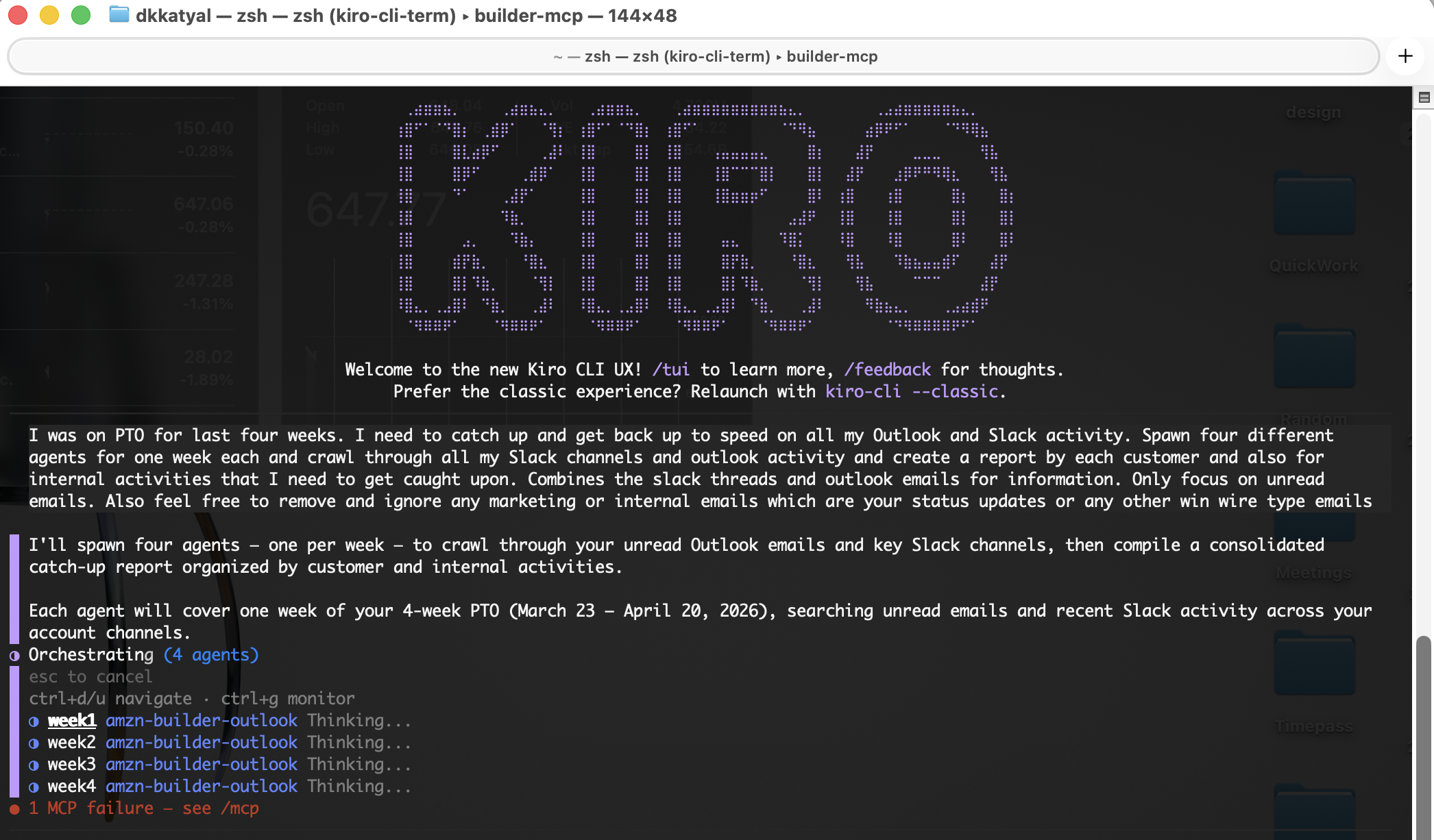
Kiro orchestrating 4 parallel agents (week1 through week4), all running simultaneously. The terminal shows the prompt, Kiro’s plan, and agent orchestration status.
The Sub-Agent Pivot
Here’s where it got interesting. The sub-agents couldn’t access the Slack and Outlook MCP tools — those are only available in the main session. Rather than failing silently, Kiro recognised the limitation, reported it clearly, and pivoted to running all queries from the main agent instead.
This is a good example of AI resilience — when Plan A doesn’t work, adapt and keep going.
Step 2: Crawling 28 Channels + 4 Weeks of Email
Kiro fired off 30+ parallel API calls simultaneously:
- 28 Slack channels queried via
get_messageswith date range filters - 4 Outlook inbox queries (one per week) via
email_folderswith date filtering - All scoped to the PTO window: March 23 – April 20
The Slack channels included core account team channels, project-specific channels (GenAI initiatives, PoC work, escalations), and internal team channels (all-hands, specialist groups, leadership).
For email, Kiro automatically filtered out noise: marketing newsletters, automated notifications, win wires, digest emails, and mass distribution. It focused on direct customer threads, meeting-related emails, escalations, and material internal discussions.
Step 3: The Report
Kiro produced a structured catch-up report organised by:
🚨 Immediate Action Items
The most critical things to handle on Day 1 back — competitive escalations, customer meeting requests waiting for response, draft documents needing review, and time-sensitive deadlines.
📊 Customer-by-Customer Breakdown
For each account, a chronological summary combining both Slack and email activity. The sample below is synthetic data generated by Kiro for illustration — all names, channels, and details are fabricated and do not reflect any real customer or engagement.
### Meridian Financial Group

#### Weeks 1-2 (March 23 – April 5)
- [Slack #meridian-genai-poc] GenAI hackathon completed:
  140+ participants, 9 use cases demoed, 4.7 CSAT.
  Top use case: automated loan document summarisation.
- [Email] SA shared PoC results deck — needs EBC talking
  points added before next QBR. Action: review and update.

#### Weeks 3-4 (April 6-20)
- [Slack #meridian-genai-poc] PoC wrap-up. Customer wants
  production roadmap for document summarisation by April 30.
- [Email] ProServe sent draft SOW for GenAI Phase 2.
  Needs SA and legal review before April 25. ⚡ ACTION REQUIRED

---

### Hartwell Logistics

#### Weeks 1-2 (March 23 – April 5)
- [Slack #hartwell-genai] New Bedrock PoC kicked off for
  driver route optimisation. 3 use cases scoped, SA assigned.
- [Email] Customer CDO requesting executive briefing on
  Amazon Q Business for internal knowledge management.

#### Weeks 3-4 (April 6-20)
- [Slack #hartwell-genai] PoC demo went well — customer wants
  to expand to two more business units. Opportunity to grow.
- [Email] Competitive flag: customer evaluating Azure OpenAI
  as alternative. Needs urgent response. ⚡ ACTION REQUIRED
🏢 Internal Updates
Product launches, model deprecations, team changes, mandatory training deadlines — all summarised with action/no-action flags.
📬 Email Triage Table
A prioritised table of every relevant unread email, categorised as 🔴 Respond Today, 🟡 Read This Week, or ℹ️ FYI.
Step 4: Export to Markdown
“Write the full report as a markdown file in my Downloads folder.”
Done in seconds. A clean, 300-line markdown document I could reference all week.
The Safety Guardrail: Outlook in Read-Only Mode
I also asked Kiro to add the critical action items as Outlook tasks. This is where something important happened:
“Outlook write tools are disabled (read-only mode). To enable them, set OUTLOOK_MCP_ENABLE_WRITES=true and restart.”
Kiro couldn’t create the tasks — and that’s by design.
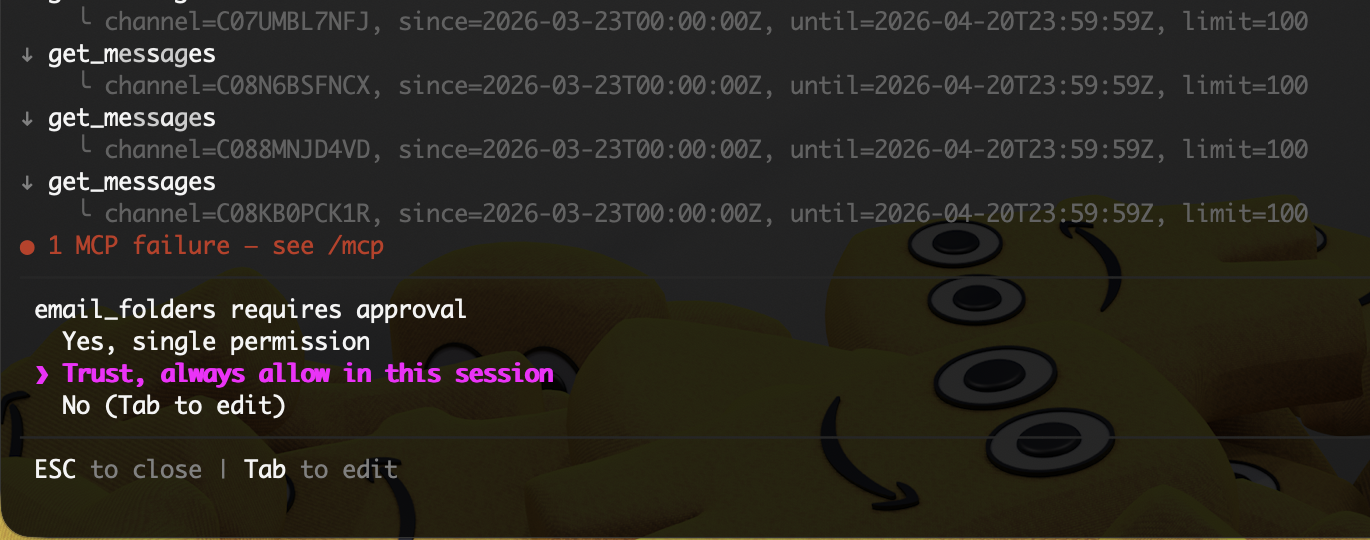
Two safety mechanisms visible: (1) The MCP tool permission prompt requiring approval before accessing email. (2) The Outlook write-mode restriction that prevents the AI from sending emails or creating tasks without explicit opt-in.
The Outlook MCP was configured in read-only mode — a deliberate safety choice:
- Read operations (searching emails, viewing inbox) — allowed
- Write operations (sending emails, creating tasks, moving messages) — blocked by default
This means the AI can read your email to build the report, but it cannot send emails on your behalf, delete messages, or modify your calendar unless you explicitly enable write mode.
This is exactly the kind of guardrail you want when giving an AI agent access to corporate email. The principle is simple: default to read-only, require explicit opt-in for writes.
Kiro handled this gracefully — it told me the tasks couldn’t be created, explained why, and included them in the markdown report so I could add them manually in two minutes.
What Made This Work: Steering Documents
The secret sauce wasn’t just the MCP integrations — it was the steering documents:
| Steering Doc | What It Does |
|---|---|
account-acronyms.md | Maps shorthand to full company names so Kiro can resolve Slack/email references |
slack-channels.md | Maps every customer to their Slack channels and IDs |
my-territory-accounts.md | Lists all ~50 accounts in my portfolio |
aiml-sales-specialist.md | Describes my role, key services, and common workflows |
salesforce-activity-types.md | Maps meeting types to CRM activity codes |
zoom-meeting-summaries.md | Teaches Kiro how to parse auto-generated meeting summaries |
Without these, I’d have to explain my entire job context in every prompt. With them, Kiro just knows — like a well-briefed assistant who’s been with you for months.
The Numbers
| Metric | Value |
|---|---|
| PTO duration | 4 weeks |
| Slack channels crawled | 28 |
| Email inbox queries | 4 (one per week) |
| Parallel API calls | 30+ simultaneous |
| Relevant emails scanned | ~200 (from 4,481 total) |
| Customer accounts covered | 15+ with activity |
| Report length | ~300 lines of structured markdown |
| Time from prompt to report | ~10 minutes |
| Estimated manual equivalent | 4–8 hours |
Lessons Learned
Steering documents are the multiplier. The AI is only as good as the context you give it. Thirty minutes writing steering docs pays off every single day.
Read-only by default is the right call. I’m glad Outlook was in read-only mode. I don’t want an AI creating calendar events or sending emails without my explicit review — especially after four weeks away when context might be stale.
Signal-to-noise filtering matters. The instruction to ignore marketing emails and win wires was essential. Without it, the report would have been 80% noise. Teaching the AI what to skip is as important as teaching it what to find.
Cross-source synthesis is the real value. The magic isn’t reading Slack OR email — it’s combining both into a single customer view. A Slack thread about a competitive escalation plus an email with a meeting invite about the same topic equals one coherent action item, not two separate things to track down.
Oh, and This Blog? Kiro Wrote It Too.
After generating the catch-up report, I asked Kiro one more thing:
“Write a blog about what we did today as a Hugo markdown post. Sanitize all customer names. Incorporate the screenshots I took. Highlight the safety mechanisms.”
Kiro found the screenshots on my Desktop, viewed each one to understand what it showed, copied them into a Hugo page bundle, and wrote the full post — front matter, image captions, sample outputs, and the safety guardrail narrative — all from a single follow-up prompt.
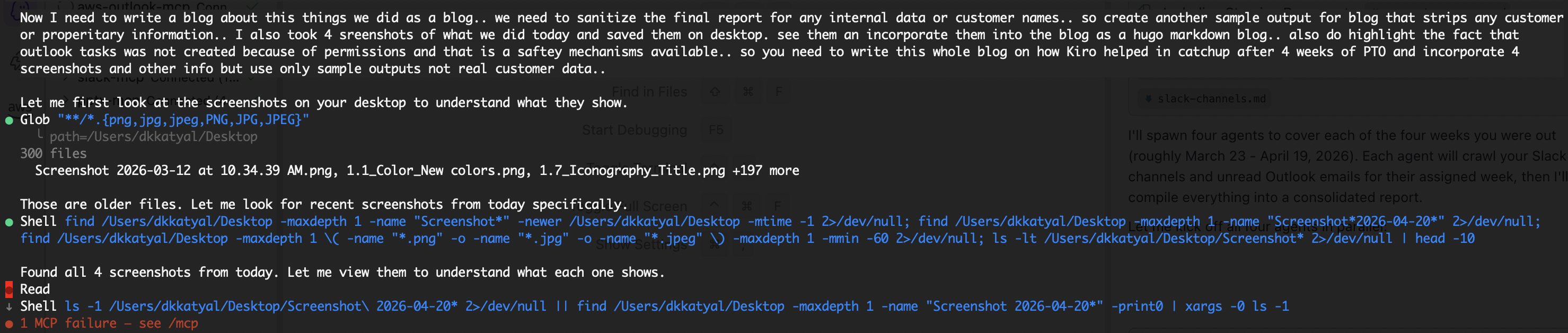
Kiro writing the blog you’re reading right now. It found the screenshots on the Desktop, viewed them, and generated the full Hugo markdown post with sanitised sample data — all from one follow-up prompt in the same session.
Three layers of work in a single morning session:
- Crawl — 28 Slack channels + 4 weeks of email
- Synthesise — Prioritised catch-up report by customer
- Publish — Sanitised blog post about the whole experience
All from the terminal. All in one conversation.
Built with Kiro — an AI tool that connects to your workflow through MCP integrations.